

Regal Security® · Operations technology

You should never have to wonder whether your property is covered.

Genuine People. Everyday Superheroes™. Supervised live.

Most security contracts run on trust and a monthly invoice. Regal runs every post on Kovrra, one system that connects the guard on your property to the people supervising them. When you ask who was on your desk, whether the rounds were walked, or what happened at 2 a.m., there is an answer with a time on it.

What Regal does differently

Who arrived, not just who was scheduled.

Most providers can tell you who they scheduled. Regal can tell you who actually arrived, when, and whether they were cleared to stand on your property.

Supervisors act on it while the shift is still running, not the next morning. On 18 November 2026 Regal ran more than 400 sites and about 780 active staff on Kovrra. It is how Regal operates, not a pilot.

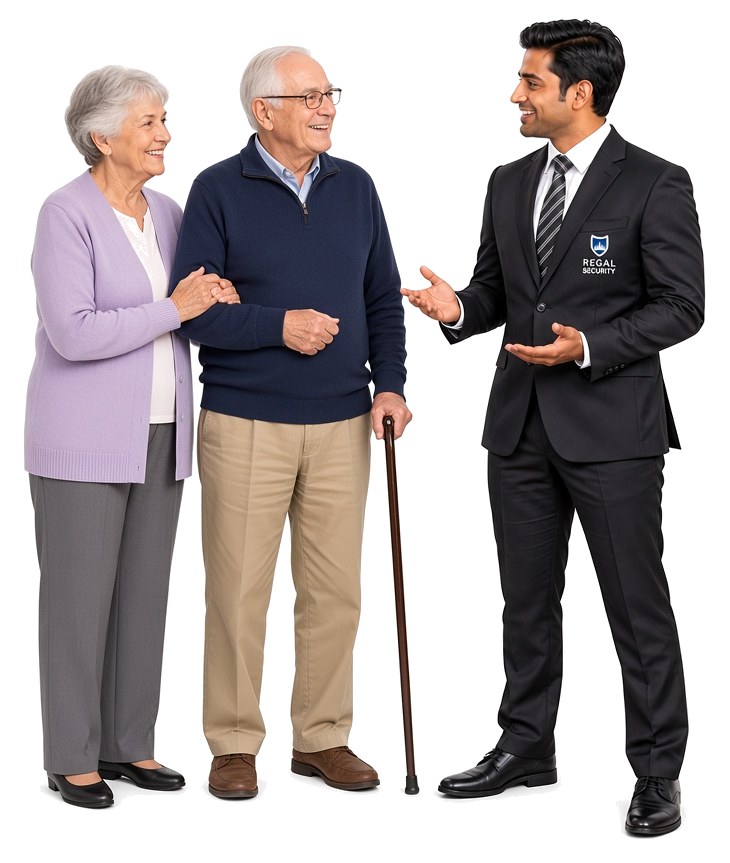
A smiling Regal concierge officer in a dark suit with the Regal Security crest, talking warmly with an elderly couple. The husband holds a cane and his wife holds his arm.
The film

Kovrra in a minute and a half.

From the job post to the guard on your property, and the desk that watches every post.

What the video shows
  1. Regal Security runs on Kovrra: hire them, train them, put them on post.
  2. It starts with a job post on Regal’s public job board.
  3. The candidate applies, uploads their licence, messages the recruiter, and signs the offer on their phone.
  4. They are trained in Kovrra Learn before their first day.
  5. A concierge on post clocks in.
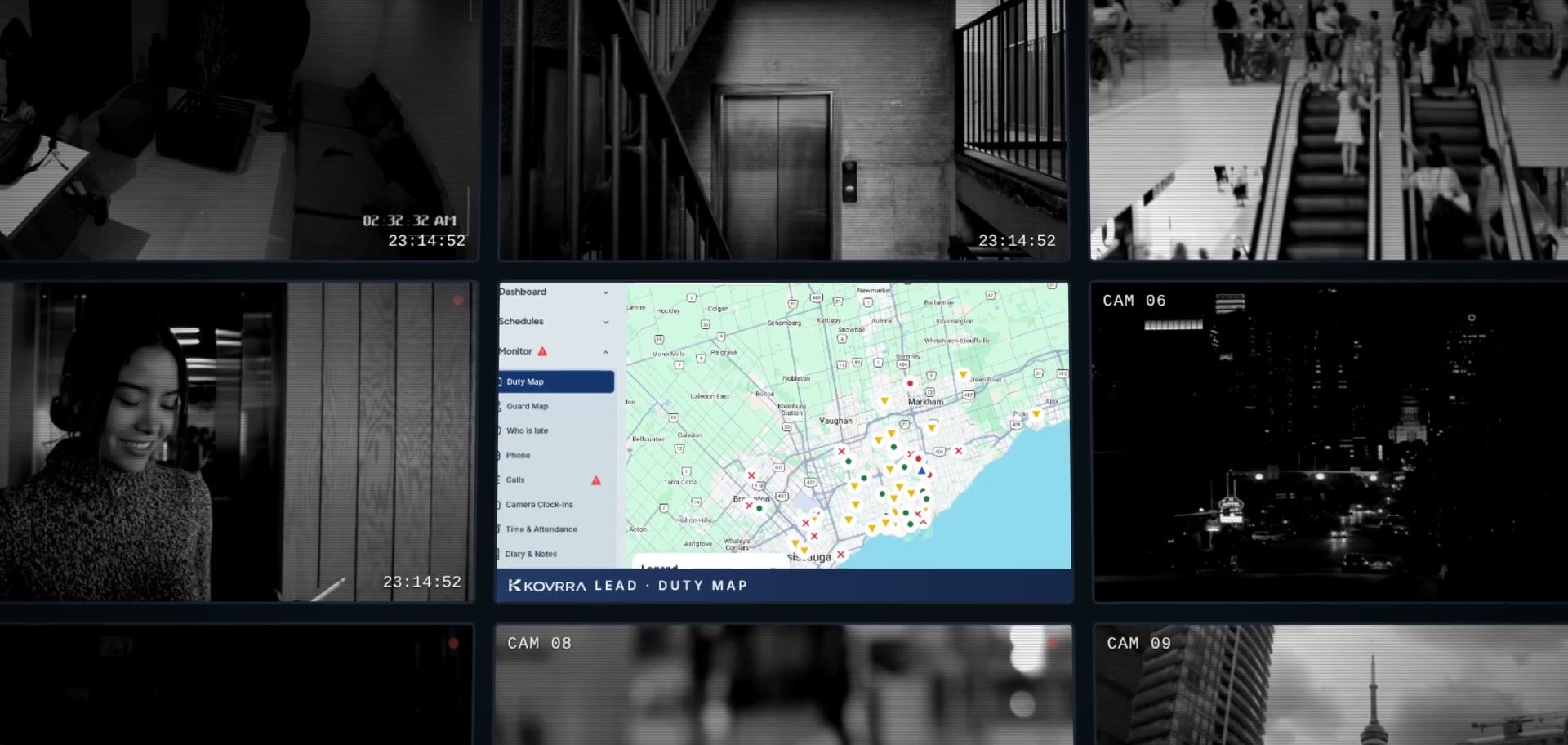
  6. Every post across the Greater Toronto Area appears live on one map.
  7. Every guard is one tap away. The desk can call or message any guard, or the whole team, to fill an open shift.
  8. Regal’s posts: commercial sites, patient watch in hospitals, construction gates, and mobile patrol.
  9. Managers stay reachable away from the desk.
  10. One press of the emergency button and help is on the way.
  11. One record, from the application to the post.
What this means for your property

Five things you will always know.

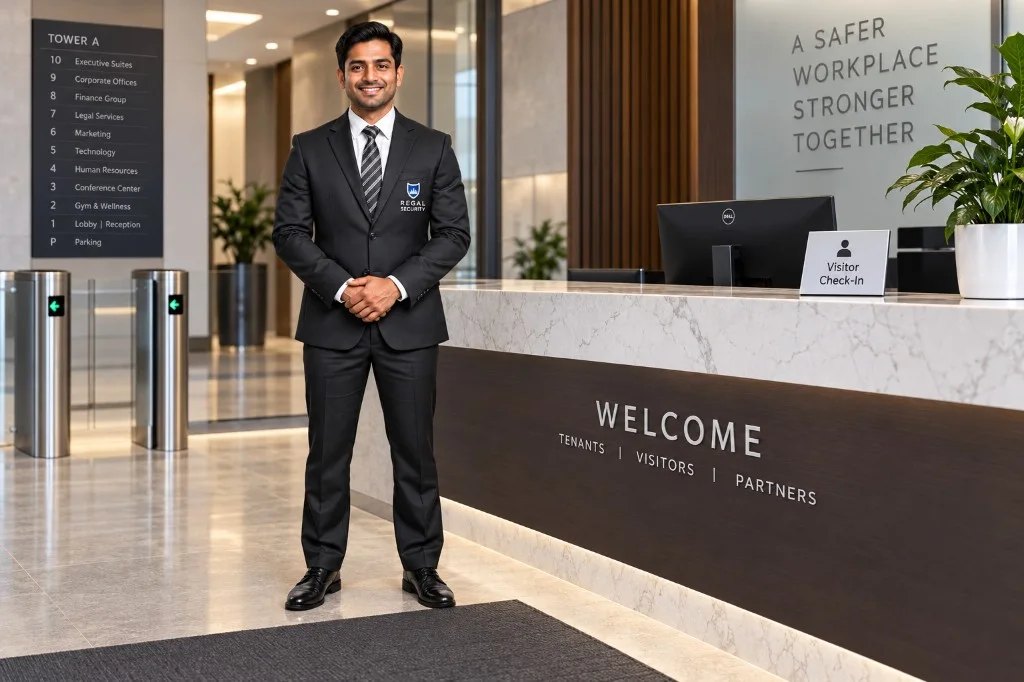
A Regal concierge officer in a dark suit standing ready beside the reception desk of an office tower lobby.
Coverage

Your shift is covered before it starts.

Two hours before each shift, Regal’s operations desk can see whether the guard is on the way, with a travel estimate to your site. If they are sick or running late, a relief guard is booked before the shift starts. On arrival, the guard confirms who they are on their phone and clocks in from your site.

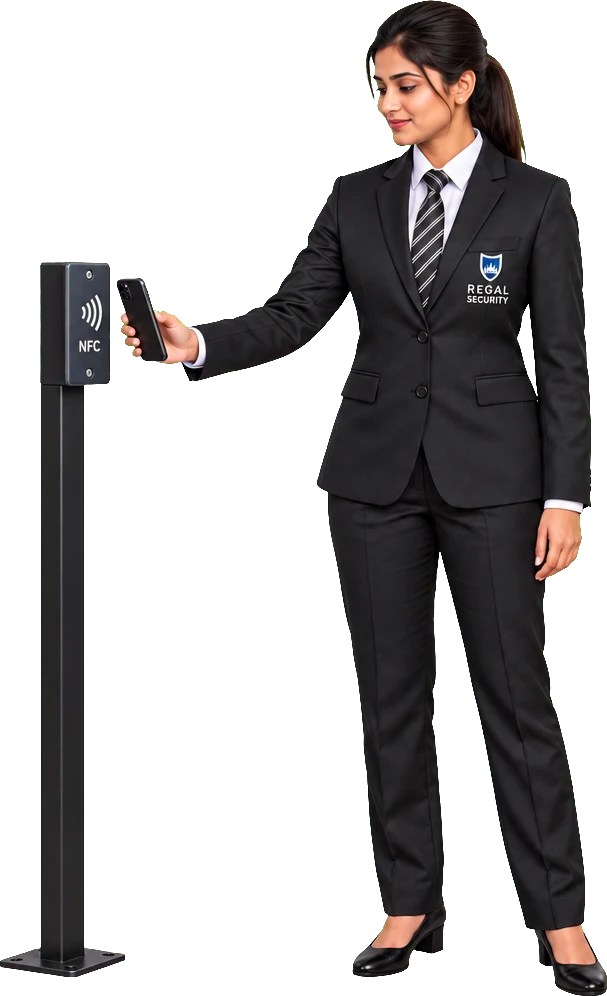
A Regal concierge officer holding her phone to an NFC checkpoint tag on a post.
Rounds

The rounds were walked.

Patrol checkpoints on your property carry tags that the guard scans with their phone as they pass. Check calls run on the schedule set for your site. A missed check call shows up as overdue on the desk, where a supervisor follows it up.

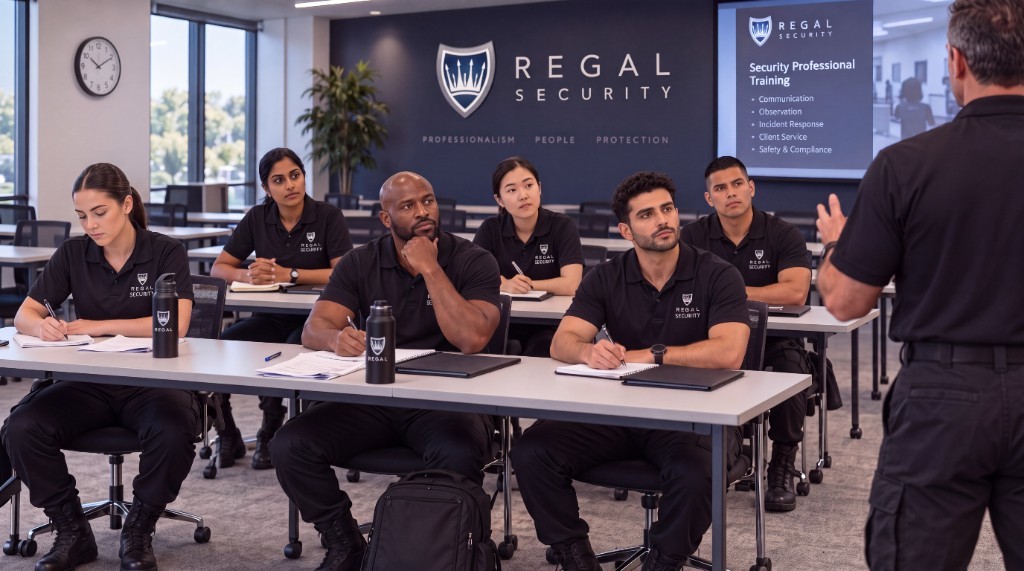
Men and women in black Regal Security polos taking notes in a Regal classroom while an instructor leads security professional training.
Who stands on your site

Only qualified guards at your building.

Your site carries its own requirements: the licence, the courses, and the site training. Regal’s scheduling suggests people who meet them, so the guard who arrives already knows your building.

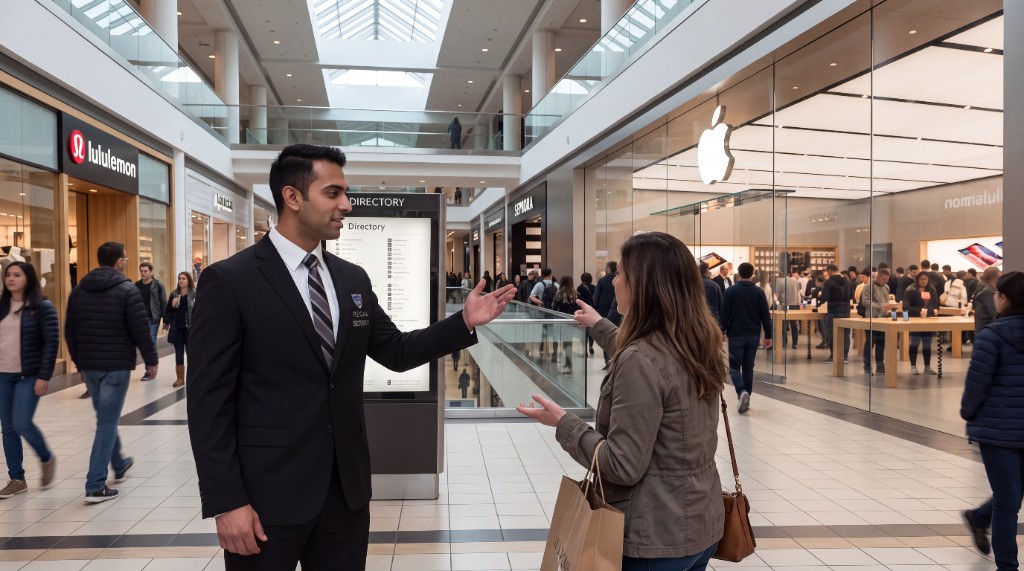
A Regal officer in a suit giving directions to a shopper in a busy shopping centre.
A direct line

You can email the guard on duty directly.

Each Regal site can have its own email address. Send a note about a contractor, a move-in, or a door left open, and the guards on your post read it on their phone and can reply. The mailbox belongs to the site, so the history stays when staff change. If something goes wrong, the guard has an emergency button that goes straight to Regal’s desk.

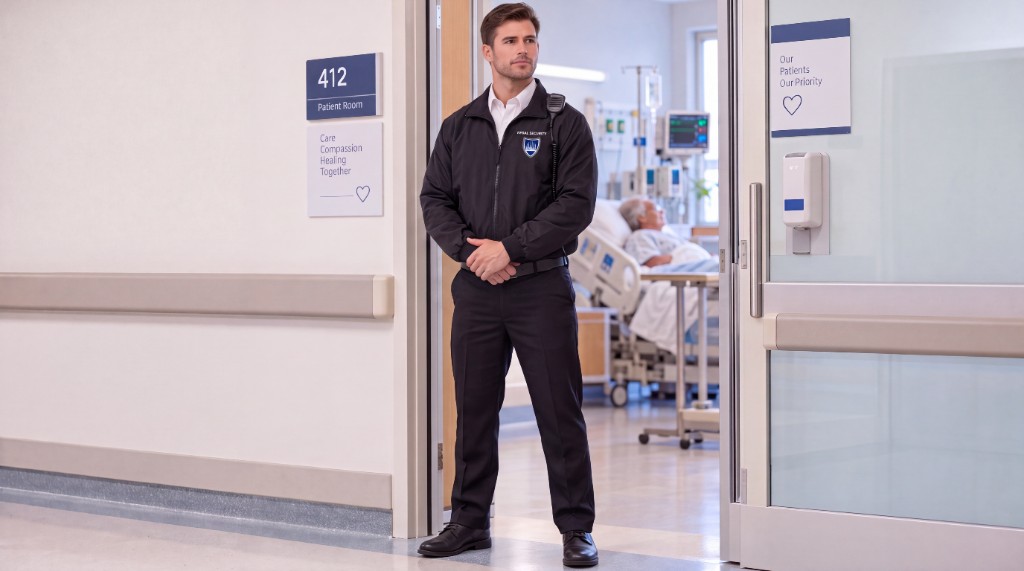
A Regal guard standing watch at the door of a hospital patient room.
A record

You get the facts, not a recollection.

Incidents are written and signed on the guard’s phone and kept on your site. Hours delivered sit next to the hours in your contract, so the month can be checked against what you are paying for.

How the system fits together

One connected system, from hiring the guard to the shift at your building.

The person standing on your property and the people supervising them work from the same live record of the site, the shift, and the guard.

  1. Before your first shift

    Kovrra Talent and Learn

    • Screening and licence checks
    • Offer signed and onboarding completed
    • New-employee orientation and courses
    • Certifications tracked with expiry dates
    • Passes straight into scheduling
  2. On your property

    The guard, with Kovrra U

    • Today’s shift and schedule
    • Identity check and clock-in on site
    • Patrol tags and check calls
    • Site mailbox and messages
    • Incident reports and an emergency button
  3. Regal operations desk

    Supervisors, with Kovrra Lead

    • Live map of every post
    • Late, missing, and quiet-phone alerts
    • Call or message the guard from the shift
    • Schedules, open shifts, and replacements
    • Contracted hours against delivered hours

Hiring, training, scheduling, and supervision share one record. The guard on your post is the person Regal screened and trained, and their shift is visible to the people responsible for it.

How your site is set up

Your contract becomes the rules.

Before the first shift, your contract becomes a site in Kovrra. That is where the rules live, so every guard and supervisor works to the same ones.

  • Posts and contract timesWhich desks, gates, and patrols are covered, on which days and hours.
  • Hours and ratesThe hours your contract buys, so delivered hours can be checked against them.
  • QualificationsThe licence, courses, and certifications a guard needs before they can stand on your post.
  • Site trainingWho has been trained on your property.
  • Check callsHow often the guard on post has to check in, and what happens when they don’t.
  • Site mailboxAn email address for your post, read by the guards assigned to it.
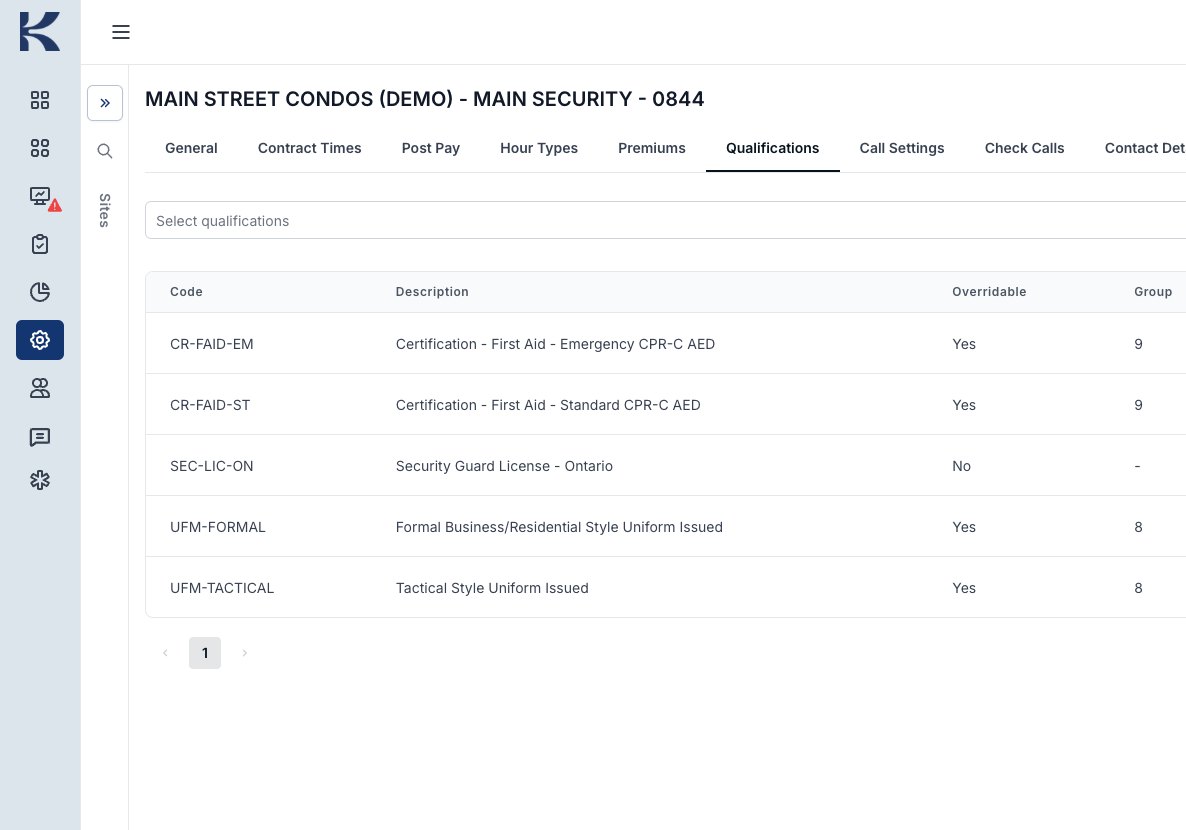
The Qualifications tab on a demonstration site in Kovrra Lead. It requires an Ontario security guard licence, which cannot be overridden, plus first aid with CPR and AED, and the issued uniform.
The requirements for one site. This demonstration site requires an Ontario security guard licence, which cannot be overridden, first aid with CPR and AED, and the right uniform.
A day on Kovrra

Six moments every property has.

Every story below follows the way Regal works in Kovrra today. The people are fictional, but the screens are not: each one comes from Regal’s live system, with personal details removed.

5:00 a.m.

A condominium concierge desk

The shift that was covered before it started

Maria’s shift starts at 7:00. From 5:00, two hours before her start, her phone begins sharing her location with Regal’s operations desk, so the desk can see whether she is on her way.

This morning it can go one of two ways. Maria wakes up sick and tells the desk from the app before her shift. Or she is running late: at 6:10 her phone is still at home, and the commute estimate puts her at the building well after 7:00.

Either way, scheduling or the site supervisor books a relief guard before the shift begins. Kovrra shows who is trained on this building. James has worked the desk before. He accepts, and at 6:52 he clocks in from the lobby after confirming who he is on his phone. Kovrra records the time his phone reached the site and the time he clocked in.

What the property gets

A desk that was never empty, and a record of when Regal knew, who covered, and exactly when the relief guard arrived.
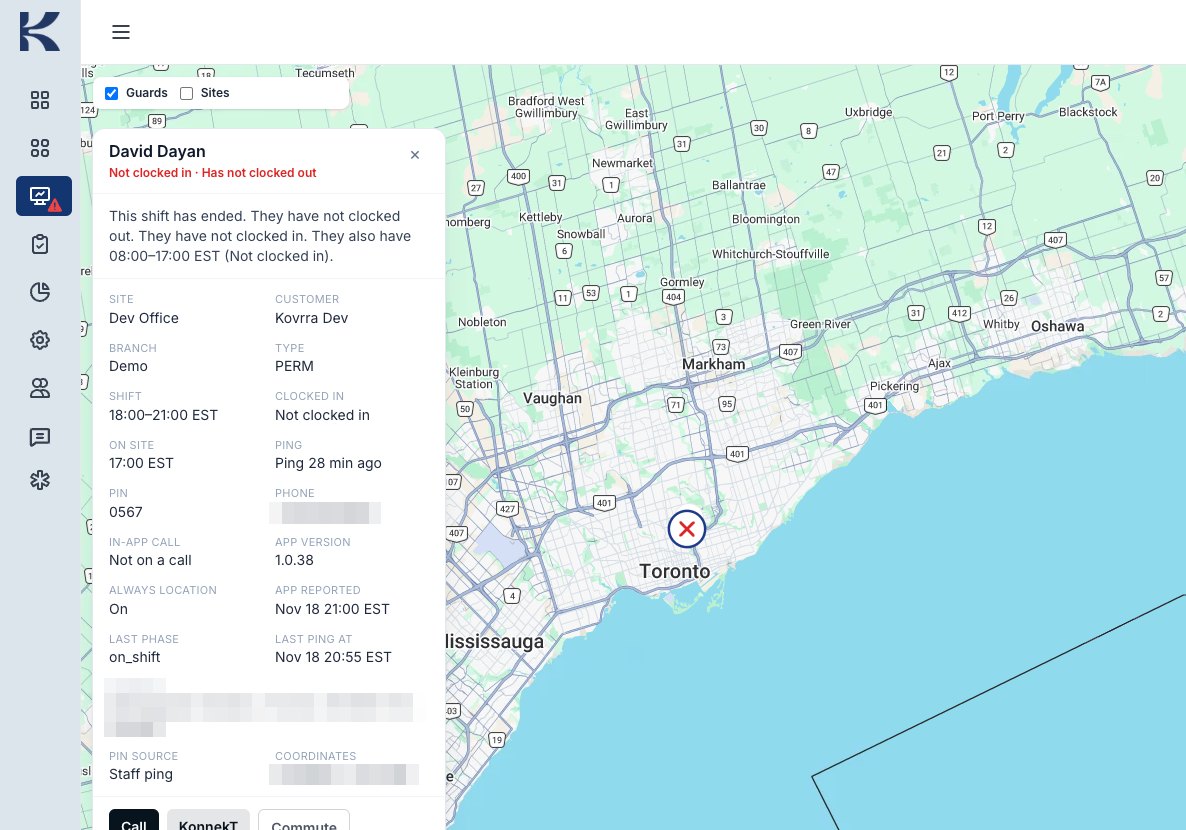
The Kovrra Lead duty map with a red cross over Toronto. The guard’s card reads Not clocked in, and shows the site, the shift time, the last time the phone reported, and a Call button.
Nothing slips past the start time. If a guard has still not clocked in once the shift starts, a red cross marks it on the map. The card shows the post, the shift, when the phone last reported, and buttons to call, message, or see the guard’s commute. Shown with Regal’s test employee.
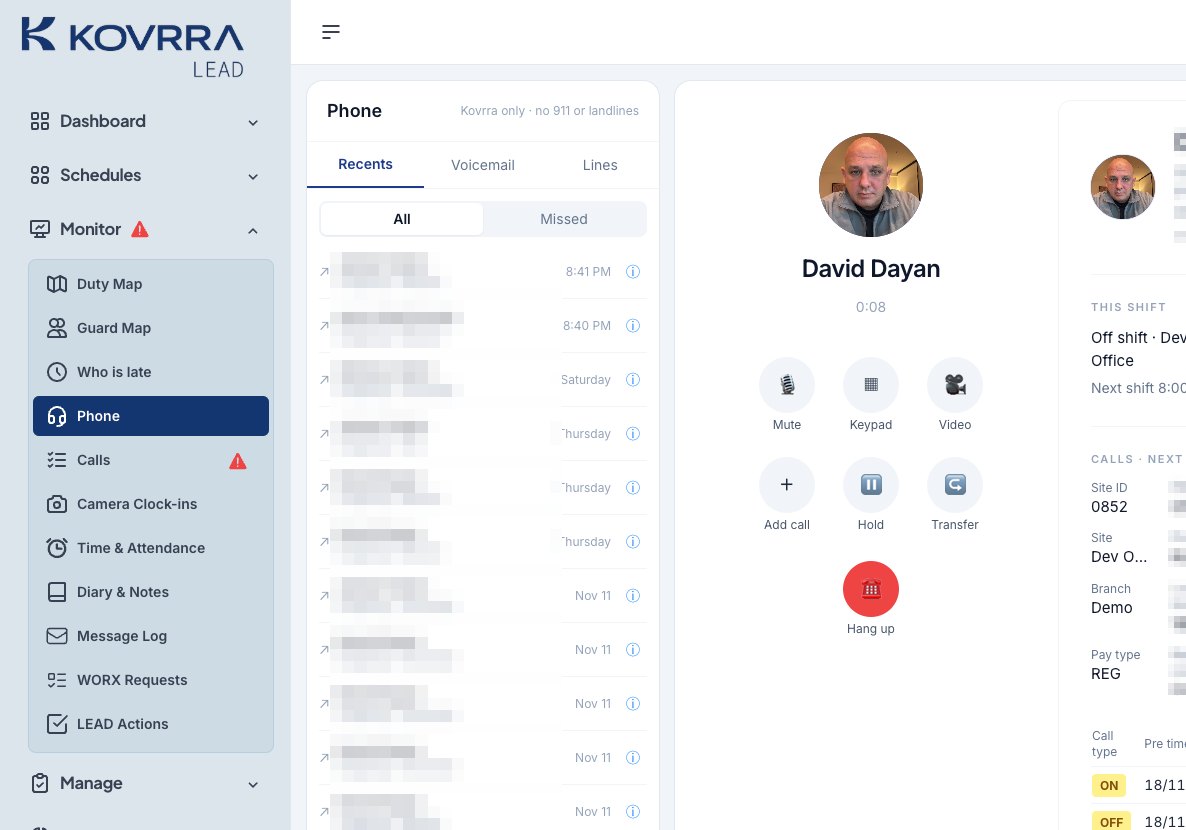
A call in progress in Kovrra Lead, with Mute, Keypad, Video, Add call, Hold, Transfer, and Hang up. The guard’s shift and site appear alongside.
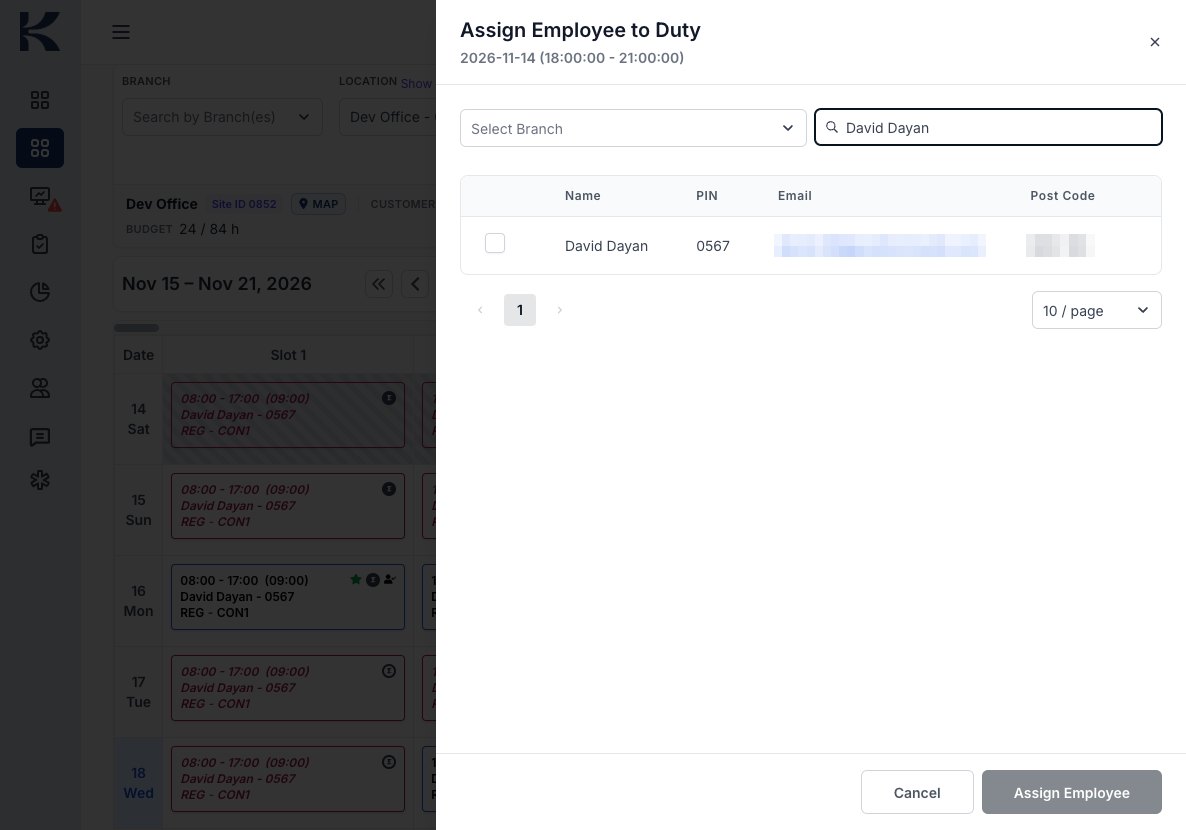
The Assign Employee to Duty panel in Kovrra Lead, searching for a guard to place on an open shift from 18:00 to 21:00.
Call, then cover. The supervisor calls the guard from inside Kovrra, with their shift and site on screen, then assigns a qualified relief guard to the duty.
On the guard’s phone
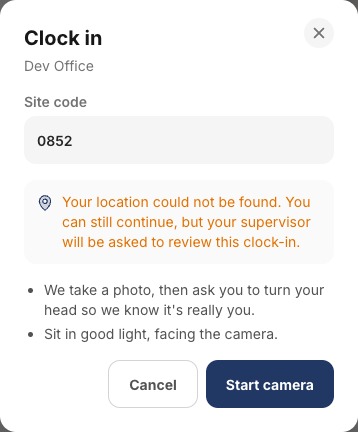
The guard’s clock-in step on the phone. It asks for the site code, then takes a photo and asks the guard to turn their head.
On Regal’s desk
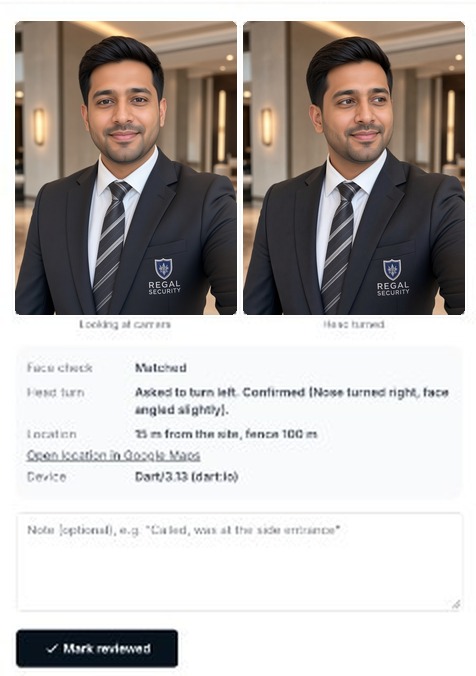
Kovrra Lead’s camera clock-in review. Two photos of a Regal concierge in a dark suit jacket with the Regal Security crest, white shirt, and striped tie: one looking at the camera, one with his head turned. Face check: Matched. Head turn: Confirmed. Location: 15 metres from the site, fence 100 metres. A Mark reviewed button.
A clock-in that proves who it is. On the phone, the guard enters the site code, takes a photo, and turns their head. On the desk, the supervisor sees the face check matched, the head turn confirmed, and that the phone was 15 metres from the site. If the phone cannot place the guard on site, the clock-in is flagged for review. The two clock-in photos are illustrations, used in place of a real guard’s face.

9:15 a.m.

The property manager’s office

Email your building’s guards, and every shift gets the message

A Regal concierge officer in a dark suit talking with a property manager holding a condo board folder.

An elevator contractor is arriving at the loading dock at ten and needs access to the first parking level until two. The property manager sends one email to the building’s Regal mailbox.

The guard on the desk reads it on their phone and replies that it is received. At three the afternoon guard starts their shift and the same note is waiting in the same mailbox. Nobody has to remember to pass it on at shift change.

What the property gets

One address for the post, a reply from the person standing there, and a history that stays with the building when staff change.

“Elevator contractor arriving at the loading dock at 10. Please give access to P1 until 2.”
One email to the site’s mailbox. Read on the phone of every guard on that post, this shift and the next.

2:20 p.m.

A hospital patient watch

An incident, written down while it is fresh

A visitor becomes aggressive at a nursing station. The guard calms the situation and stays with the patient until it is over. Then, before the end of the shift, they write the incident on their phone: what happened, who was there, and what they did. They add photos and sign it.

The report is filed against the hospital site the moment it is submitted, and Regal’s supervisors review it there.

What the property gets

A signed account, written the same day, that can be found again by site and date, not a note in someone’s memo book.

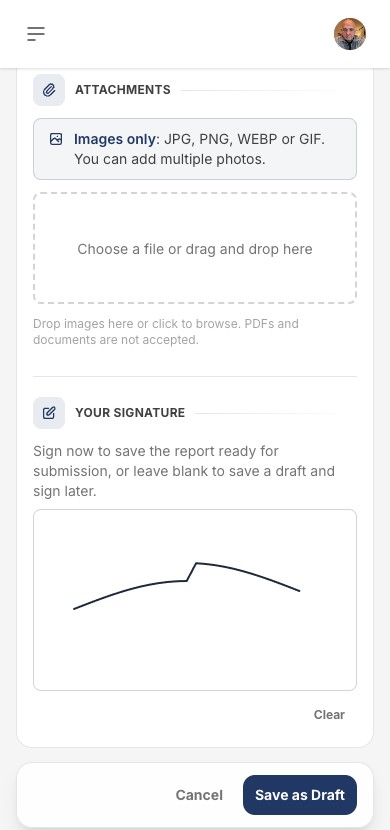
An incident report on a phone, at the attachments and signature step, with a signature drawn in the box.
The guard signs the report on their phone. Photos can be attached.

3:10 a.m.

An overnight construction site

The rounds nobody is watching

Overnight, the guard walks the perimeter and scans the tag at each checkpoint with their phone. Check calls are due on the schedule set for this site. At 3:10 the guard’s phone goes quiet: it has stopped reporting, and the mark on the desk’s map changes to show it.

The supervisor calls. The guard’s phone had died in the cold, and they are back on charge in the trailer. If it had been something worse, the guard could hold the emergency button and Regal’s desk would be alerted at once.

What the property gets

Proof the checkpoints were visited, a supervisor who notices silence in minutes, and an emergency line that does not depend on dialling a number.

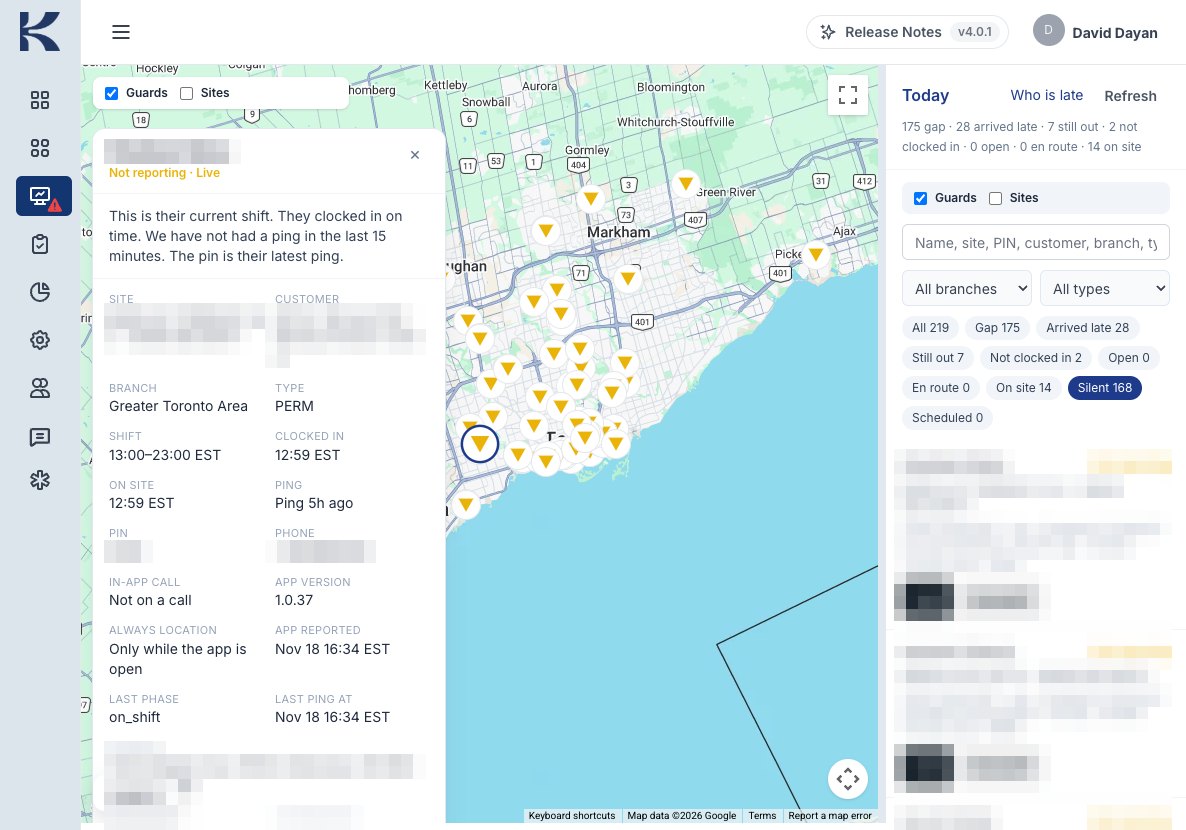
The Kovrra Lead duty map filtered to guards whose phones are not reporting, shown as yellow triangles. One guard’s card reads: They clocked in on time. We have not had a ping in the last 15 minutes.
A Regal security guard in a yellow hard hat and a navy Regal jacket with the Regal shield on the chest, speaking on a two-way radio.
Silence is a signal. The guard clocked in on time, but the phone has not reported for fifteen minutes, so the mark turns yellow and the desk follows up. A real guard, with their name, site, and contact details hidden.

Monday

Replacing a guard who has moved on

The new hire who shows up ready

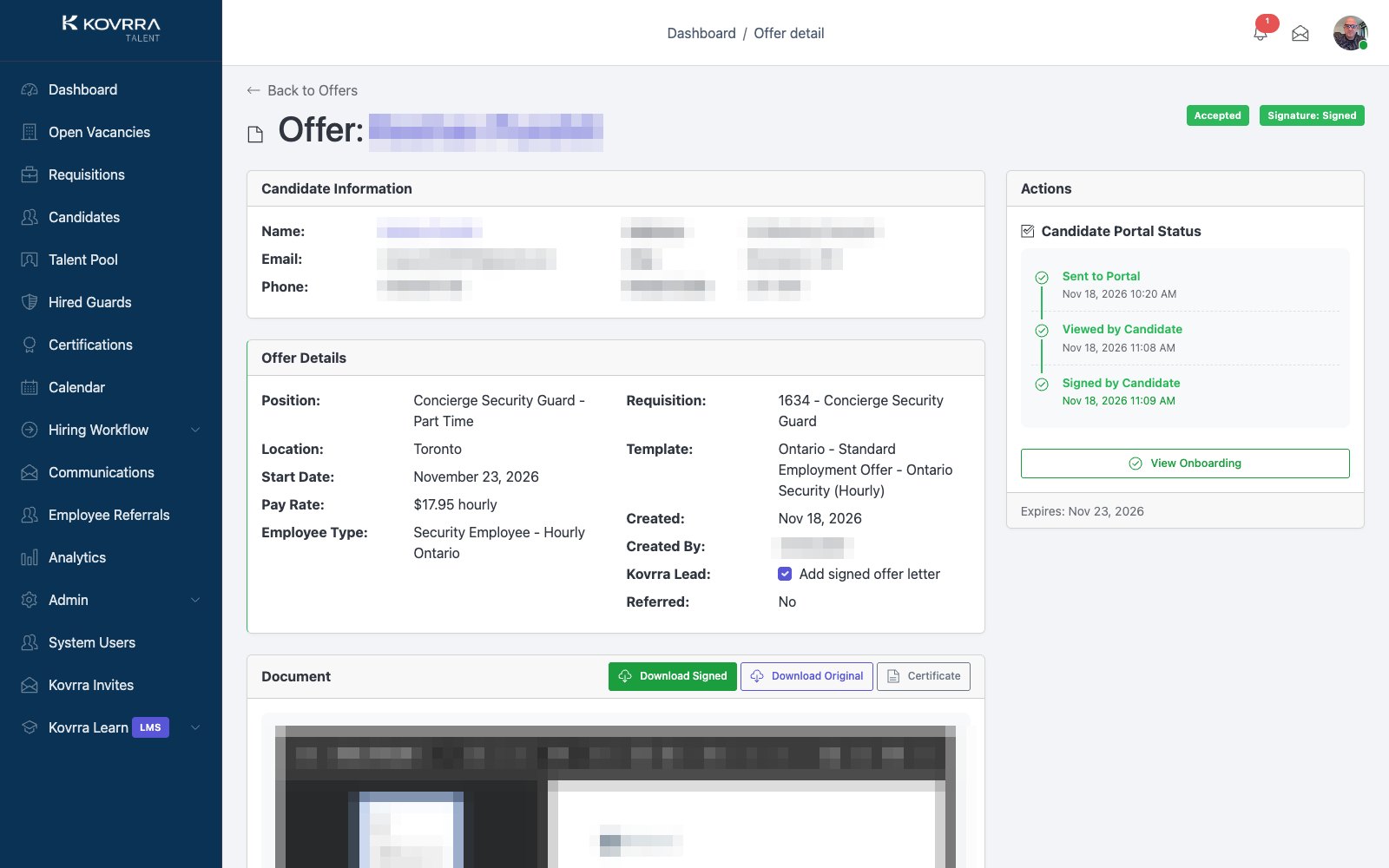
A guard on your site gives notice. The open post in Kovrra Lead becomes a vacancy in Kovrra Talent, and the job appears on Regal’s public board. Candidates apply from the Kovrra Talent app, upload their licence, and message the recruiter.

The chosen candidate signs the offer on their phone and completes onboarding. Kovrra Learn books them into new-employee orientation and the courses your site requires. They are trained on your building before they are put on your shift.

What the property gets

A replacement who was screened, licensed, and trained to your site’s requirements, without a gap filled by whoever was free.

A signed offer in Kovrra Talent for a part-time Concierge Security Guard in Toronto. A timeline shows it was sent, viewed, and signed by the candidate on the same morning. The candidate’s details are hidden.
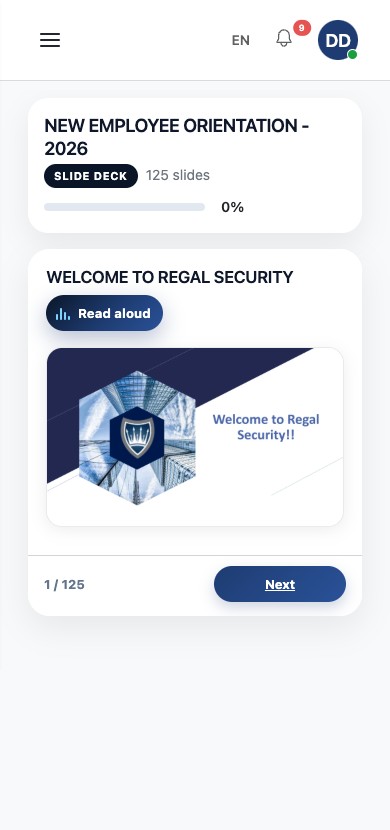
The first slide of New Employee Orientation 2026 in Kovrra Learn on a phone, titled Welcome to Regal Security, with a Read aloud button.
Signed by 11:09, in orientation next. The offer was sent at 10:20, viewed at 11:08, and signed at 11:09. New Employee Orientation then plays on the new hire’s phone, with read-aloud. Candidate details are hidden.

Month end

The account review

Hours that can be checked

Every clock-in and clock-out was taken on post. Kovrra sets the hours delivered next to the hours in your contract, so Regal’s account manager and your team can see whether the month matched the agreement.

The same clock-ins drive Regal’s payroll. The hours a guard is paid for and the hours you are billed for come from the same record, so the two can be compared at any time.

What the property gets

An invoice that can be traced back to who was on post, and when.

The hours you are billed for and the hours a guard is paid for come from the same clock-in.
What Regal’s desk sees

Every site and every guard, live, on one screen.

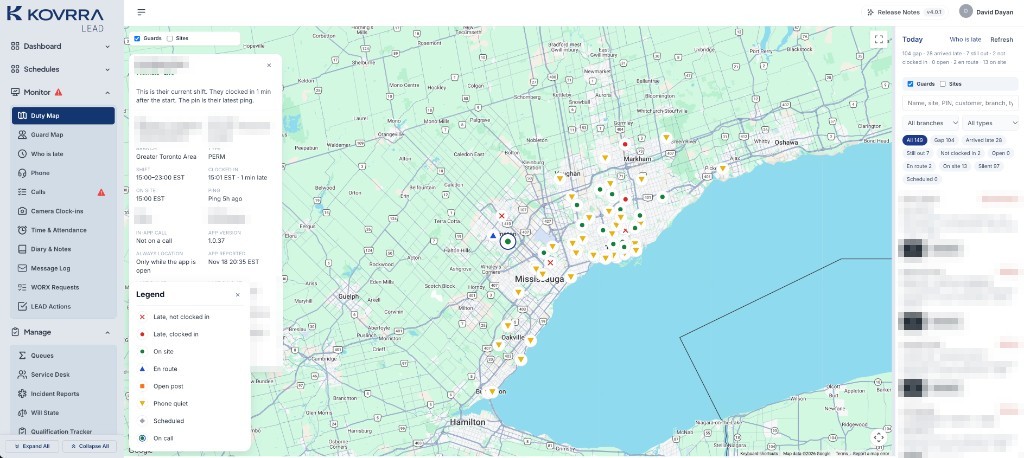
Regal’s live system on 18 November 2026. Names, phone numbers, and site names are hidden.

The Kovrra Lead duty map of the Greater Toronto Area with a legend: late and not clocked in, late and clocked in, on site, en route, open post, phone quiet, scheduled, and on call. A guard’s card and the list of names are hidden.
Every site at once. On site, late, on the way, an open post, or a phone that has gone quiet. Each is its own mark, so the supervisor knows which problem to solve first.
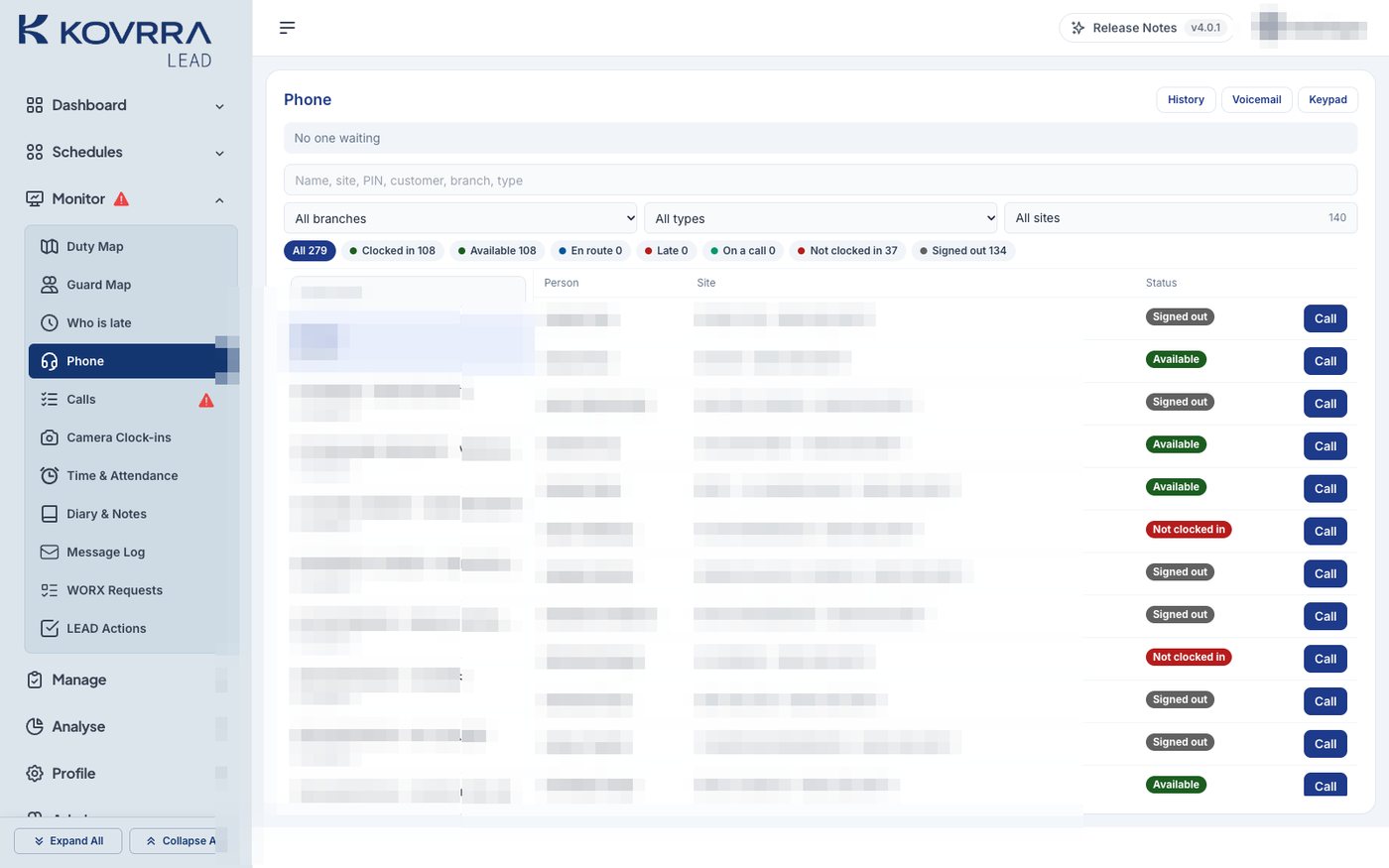
The Kovrra Lead phone directory. Each row shows a guard’s status, such as Available or Not clocked in, with a Call button. Names and sites are hidden.
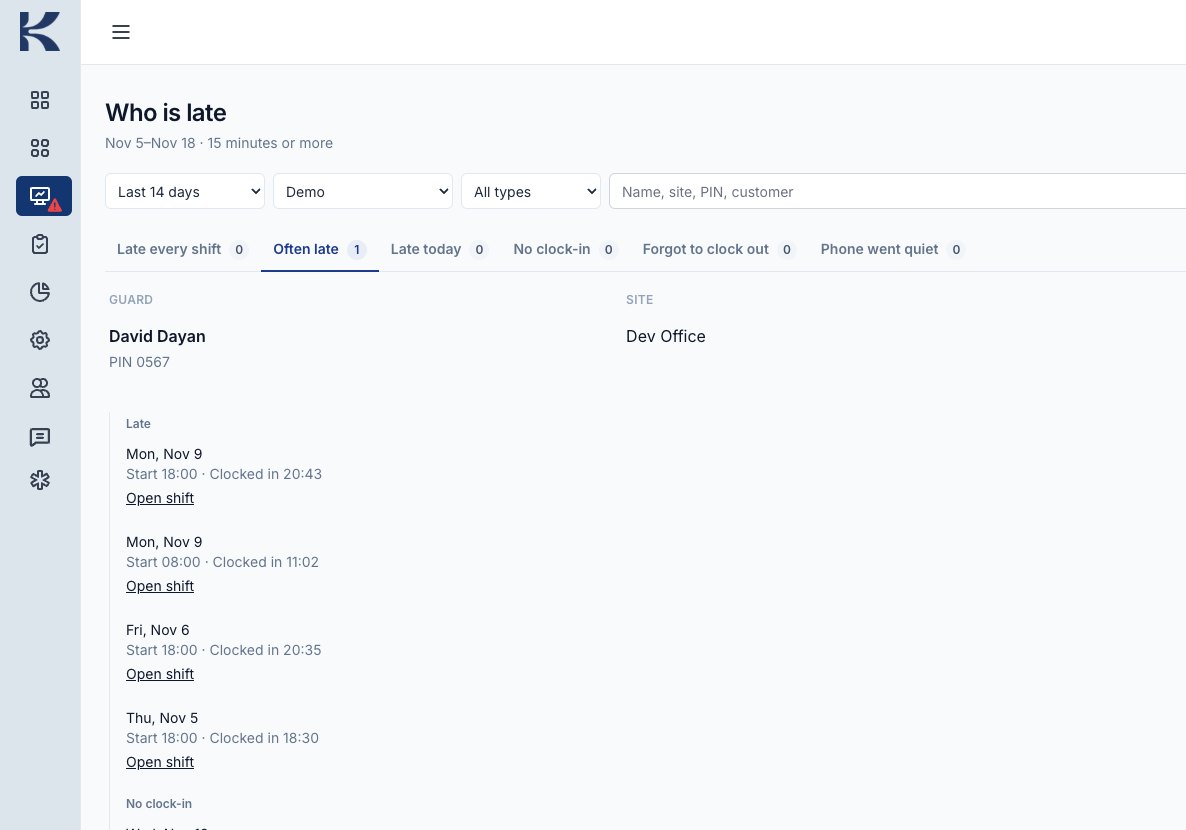
Kovrra Lead’s Who is late page. The Often late tab lists a test guard with four late starts in two weeks, each with the scheduled start and actual clock-in time.
One tap to the guard, and the pattern behind the day. The phone directory shows whether each guard is clocked in, with a Call button. Who is late keeps two weeks of late starts per guard, so a habit is dealt with before it becomes a complaint.
On the phone

Three apps. One record.

The guard, the supervisor, and the new hire each have their own app, all working from the same record.

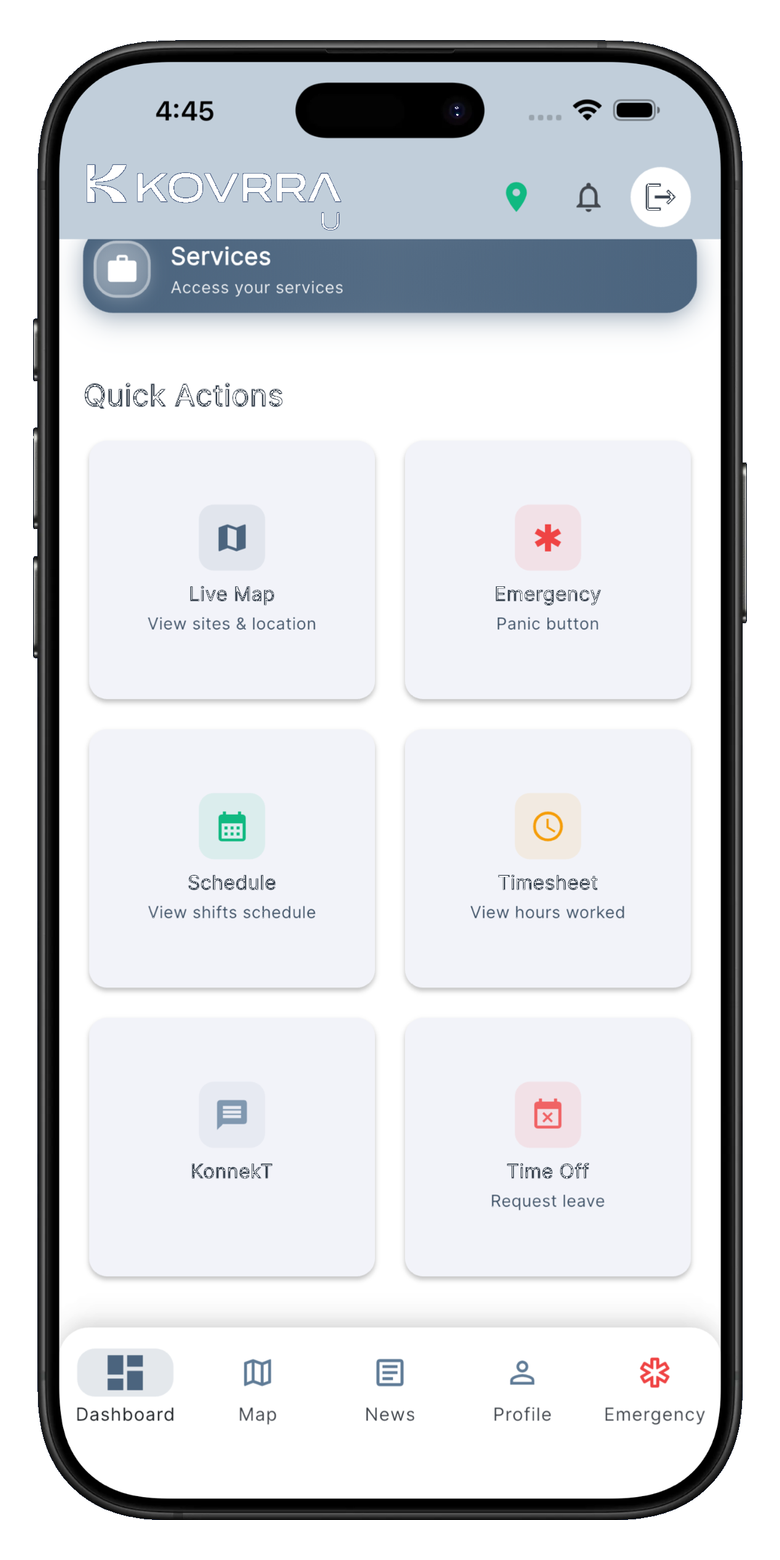
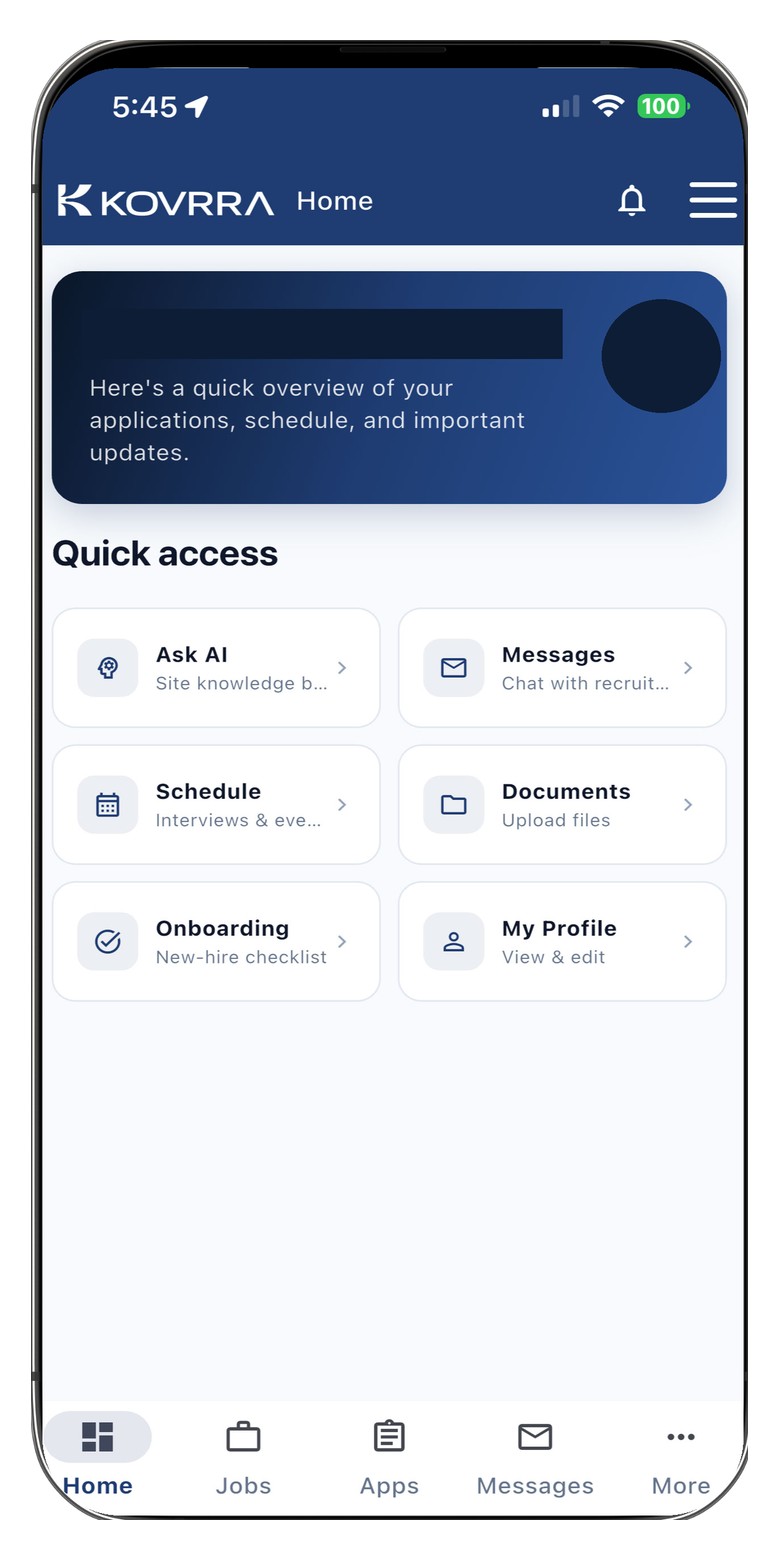
Kovrra U on an iPhone, with Live Map, Emergency, Schedule, Timesheet, KonnekT, and Time Off.
Kovrra U, for the guard. The shift, the map, messages, and an emergency button.
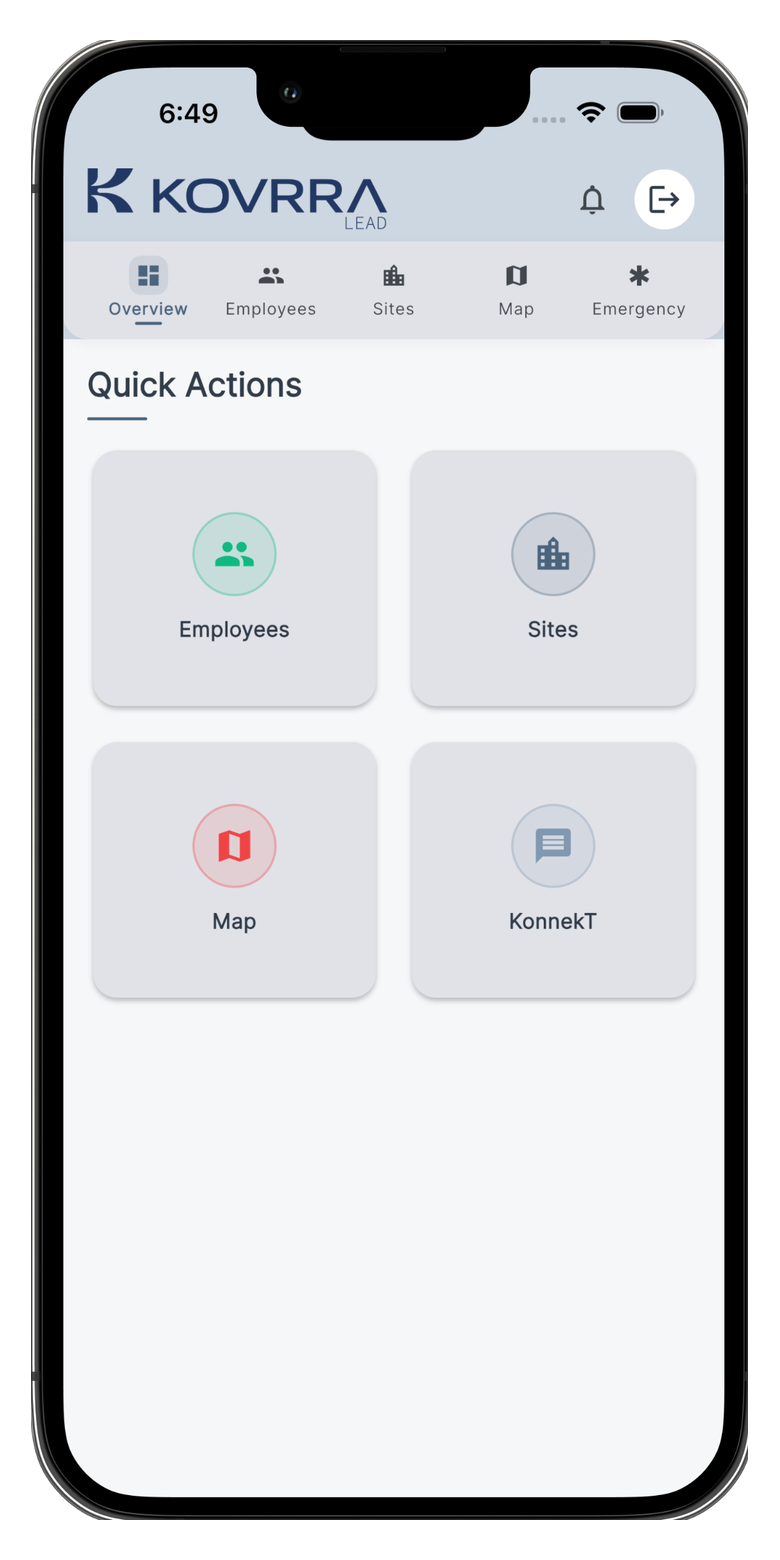
Kovrra Lead on an iPhone, with Employees, Sites, Map, and KonnekT.
Kovrra Lead, for the supervisor. People, sites, and the live map away from the desk.
Kovrra Talent on an iPhone, with messages, schedule, documents, onboarding, and profile. The person’s name is covered.
Kovrra Talent, for the new hire. Screening, documents, onboarding, and training before they reach your site.
Due diligence

Questions worth asking any security provider.

Hourly rates are easy to compare. These are not. This is how Regal answers them.

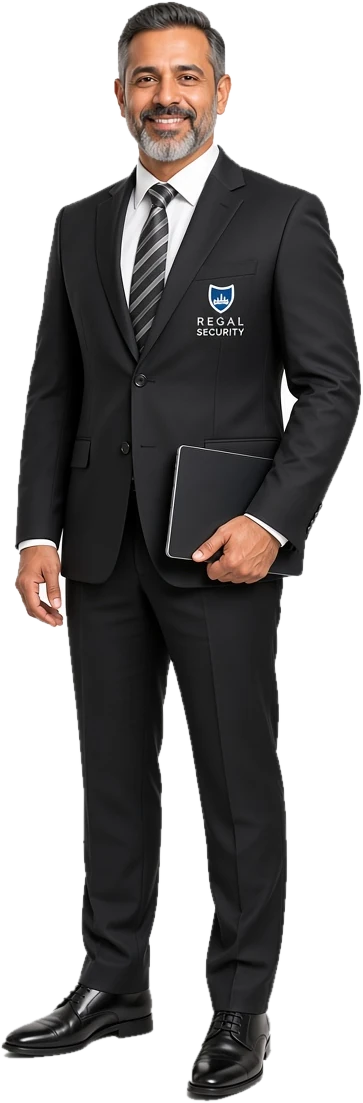
A smiling Regal site supervisor in a black suit, white shirt, and striped tie with the Regal Security crest, holding a tablet.
  • Who was on my front desk last Tuesday at 2 a.m.?

    A named guard, with the time and place of their clock-in and the photo taken on post.

  • How quickly do you know a guard will not show up?

    Usually before the shift starts. From two hours out, the desk sees whether the guard is on the way, with a travel estimate to your site, and books relief if needed.

  • How do I know the rounds were done?

    Checkpoint tags scanned on the guard’s phone, and check calls on a schedule set for your site.

  • What training did they have beyond the licence?

    Orientation, courses, and site training recorded in Kovrra Learn, with expiry dates tracked for certifications.

  • Who answers if I call at 3 a.m.?

    Regal’s operations desk, staffed around the clock, with your site and its guards on the live duty map.

  • How do I get an instruction to the guard on shift right now?

    Email your site’s mailbox. The guards on that post read it on their phone.

  • What happened overnight?

    Signed incident reports, kept on your site, and a record of hours against your contract.

  • Can the invoice be checked?

    Yes. Billed hours and paid hours come from the same clock-ins taken on post.

The short version

Let’s talk about your security needs.

Regal’s guards are known by name, cleared for your property, and reachable on post. Their supervisors see a problem as it happens. When you need to know what happened, the answer is already written down.

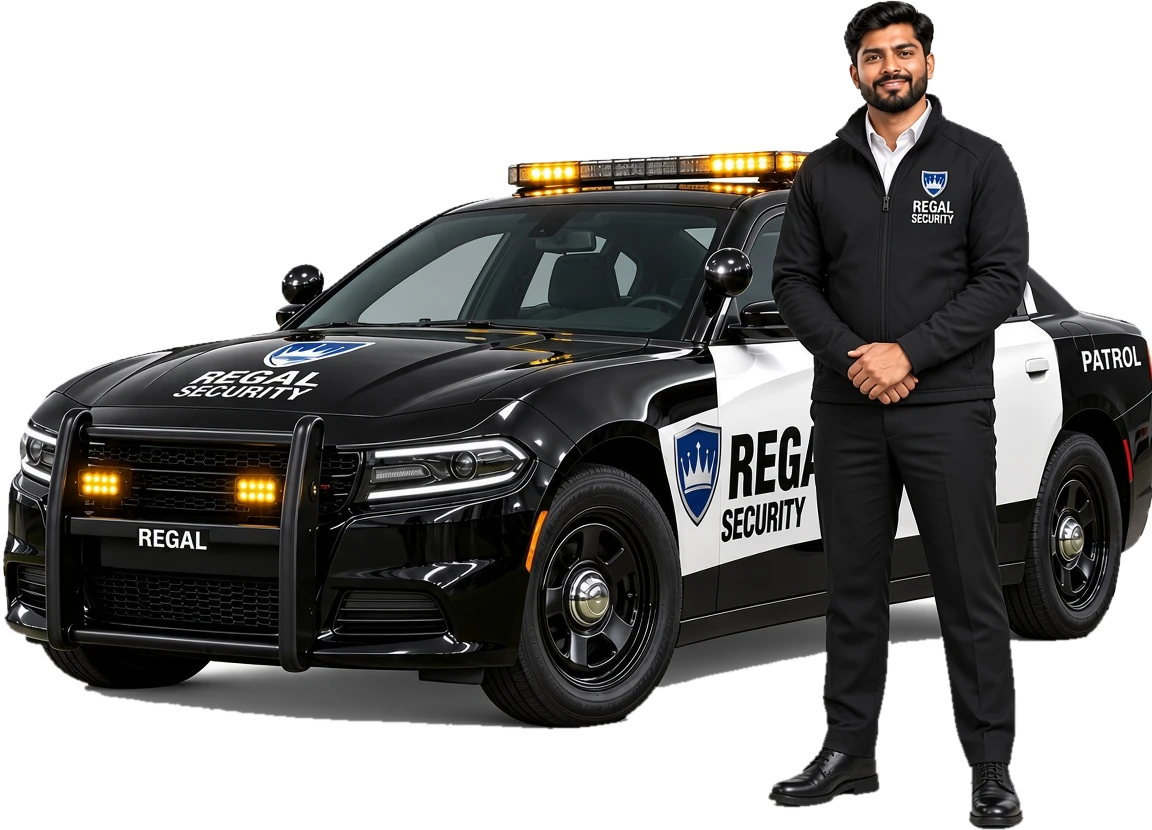
A smiling Regal mobile patrol officer in a black Regal jacket and white shirt, standing beside a black and white Regal Security patrol car.

Kovrra is built by Kiuni Inc. and operated by Regal Security. Screens were taken 18 November 2026, with personal details removed. Photographs are illustrations of the kinds of posts Regal covers, not a specific client’s site.